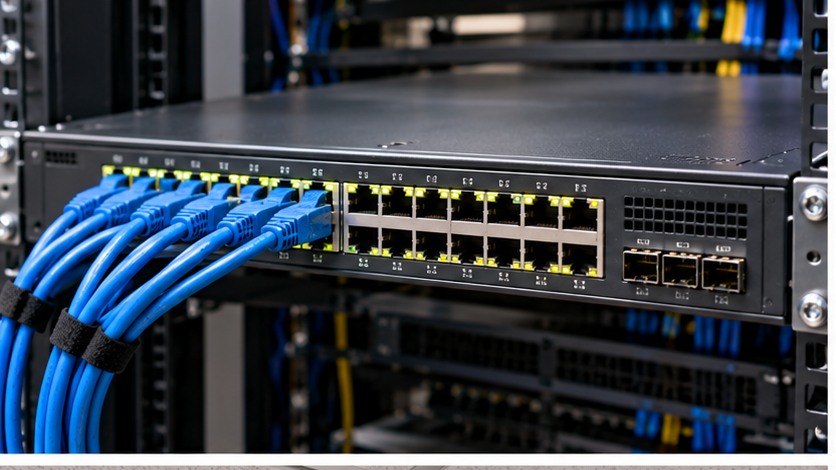
Workshop outcome
This chapter is intended to move beyond product awareness. It should help you plan the work, select the correct hardware class, execute or supervise the change, test the result and produce useful handover evidence.
DEEP TECHNICALFIELD WORKFLOWACCEPTANCE1. Inventory every powered device
List APs, cameras, phones and other PDs with exact model, required PoE standard and maximum or design power requirement from the datasheet.
2. Separate per-port capability from total budget
A switch can support a high PoE class on individual ports while its total PSU budget is insufficient for every port at that maximum simultaneously.
3. Build a design-power table
Use the manufacturer power requirement for each PD. If devices have heaters, IR illuminators, USB loads or radios that increase consumption, use the applicable worst operating mode rather than idle power.
4. Add the device requirements
Sum the design watts for all simultaneously powered devices. Then compare to the switch PoE budget, not the switch AC input rating.
5. Keep operating margin
Do not design a production switch so the calculated maximum exactly equals the published PoE budget. Growth, model variation and operating modes need allowance defined by the project.
6. Check cabling
PoE relies on the copper channel as well as the switch. Verify category, conductor construction, termination quality, bundle/environment and link length for the intended PoE application.
7. Plan power-loss behaviour
Decide which ports have priority if the switch supports PoE priority. On UPS-backed switches, calculate UPS load using the switch and expected PoE output, not only the switch base consumption.
8. Commission under realistic load
Bring devices online, verify negotiated PoE class/consumption where visible, exercise high-power functions and confirm no port power faults.
9. Maintain the budget sheet
When a camera or AP is replaced with a different model, update the PoE schedule. The old budget is no longer evidence.
Worked field scenario
Eight cameras each have a 12 W design load and two outdoor cameras can rise to 25 W with heaters. The design load is 146 W before project headroom. A 16-port PoE switch with a 120 W total budget is therefore unsuitable even though it has enough physical ports.
Do not proceed from a product label alone. Convert the requirement into measurable compatibility, capacity, installation and acceptance checks.
Procurement questions before ordering
The ordering stage is where many field problems are created. Capture the following before selecting the exact product:
- Exact switch/router model and software level
- Port-speed and optic support matrix
- VLAN/IP and port schedule
- PoE load schedule where applicable
- Console or recovery access for risky changes
Where a manufacturer compatibility list, rail matrix, supported-optics table or battery cartridge reference exists, record the exact source used for the decision. That gives the later installer evidence rather than a verbal assumption.
Fault-finding decision path
Use layers. Check power and physical link first, then negotiated speed/errors, VLAN/tagging, IP addressing, routing, policy and finally the application. Compare both ends of every uplink. Interface counters and logs are stronger evidence than repeatedly unplugging cables.
Keep a simple change log while troubleshooting: observation, action, result. If a change does not alter the symptom, put the system back unless there is a documented reason to retain it. This prevents troubleshooting from becoming an uncontrolled configuration drift.
Common mistakes that create repeat faults
Do not assume an SFP-family module is supported because it fits. Do not make remote VLAN or management changes without a recovery path. Do not solve a loop by randomly disabling ports, and do not treat a ping response as proof that the network is correctly designed.
A technically successful installation can still be a poor operational result if the next technician cannot identify what was installed, why it was selected, or how it was tested. Serviceability is part of infrastructure quality.
Acceptance and handover evidence
Save the running configuration, software version, port/VLAN schedule, uplink/optic inventory, key counters and a small set of repeatable connectivity/performance tests. The documentation should let another technician identify what each important port does without reverse-engineering the switch.
Use filenames, labels and port/bay identifiers that match the physical installation. Handover evidence should let someone who was not present at the installation verify the final state and repeat the important tests later.
RELATED HARDWARE
Apply the lesson to Server Warehouse
These are educational category relationships. Always verify exact model compatibility, firmware, electrical limits, supported media and manufacturer requirements before ordering.
Technical references
Manufacturer documentation and the project specification remain authoritative for model-specific limits, procedures and safety requirements.