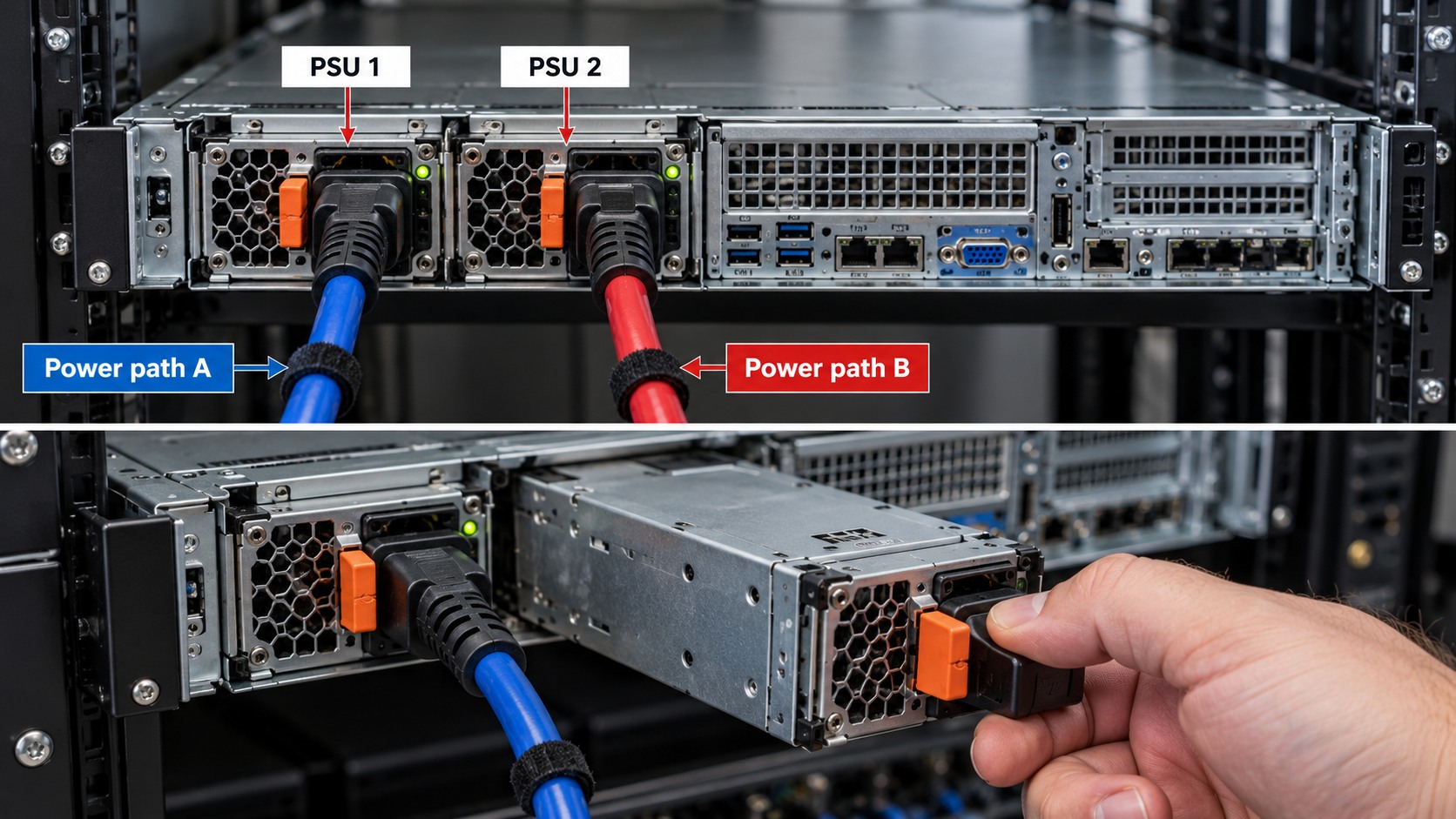
Workshop outcome
This chapter is intended to move beyond product awareness. It should help you plan the work, select the correct hardware class, execute or supervise the change, test the result and produce useful handover evidence.
DEEP TECHNICALFIELD WORKFLOWACCEPTANCE1. Draw the normal power path
Document utility/input, UPS rectifier/inverter, bypass source, output distribution and critical load. Do not operate bypass controls from labels alone if the one-line diagram is unclear.
2. Static bypass and maintenance bypass are not the same
UPS internal/static bypass is part of UPS operation. A maintenance bypass path is intended to route utility around the UPS so the UPS can be isolated for service, depending on the installation.
3. Understand the protection trade-off
Eaton notes that in maintenance bypass the critical load can remain powered while the UPS is isolated, but the load is not protected by the UPS during that state.
4. Confirm source availability and synchronisation requirements
Transfer procedures are model/site-specific. Follow the UPS and bypass documentation and use qualified personnel for hardwired systems.
5. Single-cord equipment needs special thought
An ATS or bypass arrangement may improve serviceability, but the complete power architecture must be designed for the equipment and site.
6. Label breakers and bypass controls
Ambiguous labels are dangerous during an outage. Match panel labels, one-line diagrams and physical devices.
7. Maintenance procedure
Use a written switching sequence with verification points. For critical sites, peer-check the sequence before operation.
8. Return to protected operation
After service, reverse the approved procedure, verify UPS online/inverter state, confirm load and clear only understood alarms.
9. Handover
Keep the one-line diagram, bypass procedure, breaker IDs and responsible service contacts with the UPS documentation.
Worked field scenario
A UPS needs replacement without stopping a network rack. If a correctly installed maintenance bypass exists, the load may be transferred to utility while the UPS is isolated. During that state the equipment remains powered but is no longer protected by the UPS, so the switching procedure and risk window must be explicit.
Do not proceed from a product label alone. Convert the requirement into measurable compatibility, capacity, installation and acceptance checks.
Procurement questions before ordering
The ordering stage is where many field problems are created. Capture the following before selecting the exact product:
- Load in watts and VA where available
- UPS topology and rated output
- Battery type, age and external packs
- Input/output plug or hardwire arrangement
- Shutdown, monitoring and bypass requirements
Where a manufacturer compatibility list, rail matrix, supported-optics table or battery cartridge reference exists, record the exact source used for the decision. That gives the later installer evidence rather than a verbal assumption.
Fault-finding decision path
Start with the UPS event log and operating state. Separate utility/input problems, overload, battery health, charger faults, bypass conditions and downstream load issues. Compare current load and runtime to the commissioned baseline before deciding the battery or UPS is undersized.
Keep a simple change log while troubleshooting: observation, action, result. If a change does not alter the symptom, put the system back unless there is a documented reason to retain it. This prevents troubleshooting from becoming an uncontrolled configuration drift.
Common mistakes that create repeat faults
Do not pull utility power as an improvised battery test on critical equipment. Do not perform repeated runtime calibrations as routine maintenance. Do not operate hardwired bypass switching without the approved procedure and competent electrical personnel.
A technically successful installation can still be a poor operational result if the next technician cannot identify what was installed, why it was selected, or how it was tested. Serviceability is part of infrastructure quality.
Acceptance and handover evidence
Record UPS model/serial, firmware, battery date, load, estimated runtime, self-test state, monitoring addresses and shutdown configuration. Keep the one-line power path and bypass procedure with the handover documentation.
Use filenames, labels and port/bay identifiers that match the physical installation. Handover evidence should let someone who was not present at the installation verify the final state and repeat the important tests later.
RELATED HARDWARE
Apply the lesson to Server Warehouse
These are educational category relationships. Always verify exact model compatibility, firmware, electrical limits, supported media and manufacturer requirements before ordering.
Technical references
Manufacturer documentation and the project specification remain authoritative for model-specific limits, procedures and safety requirements.