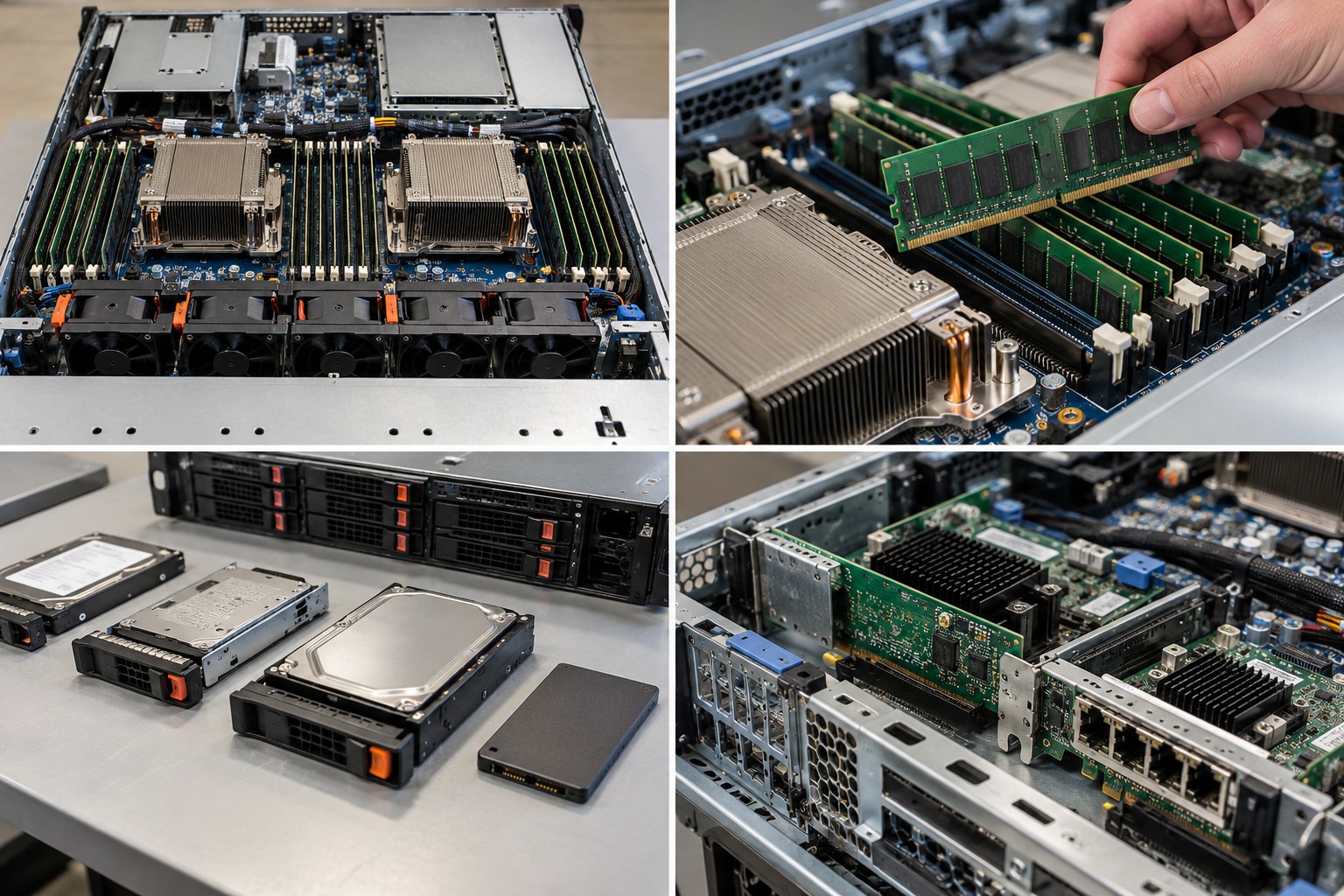
This chapter is written as practical infrastructure training. It explains the decision, the technical reason behind it, the checks to perform, the mistakes to avoid and what a successful result should look like.
What you should be able to do after this chapter
- Turn a business requirement into a complete server specification.
- Identify hidden dependencies between CPU, memory, storage, networking and power.
- Build a bill of materials that includes the parts commonly forgotten.
- Commission the finished server against the requirement.
Never approve a server component from the marketing name, connector, wattage, capacity or physical appearance alone. Use the exact server model and generation, manufacturer documentation, supported option list and current firmware requirements.
1. Start with the business workload, not a model number
Before comparing servers, describe the job. Record the applications, users, databases, file volumes, virtual machines, backup windows, growth expectation and the cost of downtime. A file server, virtualisation host, database server and backup repository can all be called a server, but they stress the hardware differently.
Minimum discovery questions
- What services will run on the server?
- How many users, VMs, containers or concurrent sessions are expected now and in three to five years?
- Which applications are licensed per core, per socket, per VM or per user?
- What data set exists today and how quickly is it growing?
- What outage can the business tolerate?
- What is the required backup and recovery time?
- Does the server need local storage, shared storage or both?
- What network speeds and switch interfaces already exist?
- Where will the server physically live and how will it be powered?
Write the requirement before opening a configurator. It prevents a convenient in-stock model from silently becoming the requirement.
2. Choose tower or rack form factor from the environment
Tower servers are useful where there is no rack or where one or two systems will operate in an office or equipment room. Rack servers make better use of a standard 19-inch rack and normally integrate more cleanly with rack PDUs, structured cabling, KVM equipment and data-centre airflow.
Form factor also affects acoustics, drive density, PCIe expansion, GPU support, rail requirements and service access. A 1U server can be dense but may use smaller fans and have fewer full-height expansion options than a larger chassis.
Rack U height does not tell you server depth. Confirm cabinet usable depth, rail adjustment range, rear cable bend space and front/rear door clearance.
3. Translate software into CPU requirements
CPU selection is not a race for the highest core count. Establish whether the workload benefits from parallel cores, high per-core performance, memory bandwidth, PCIe lanes or a particular instruction set. Then check software licensing. A lower-core, higher-frequency processor can sometimes be economically better for software licensed per core.
For virtualisation, plan both physical cores and realistic VM contention. Avoid simply adding all vCPU allocations together and treating the total as a required physical core count. Workload concurrency matters.
CALCULATED CPU sizing should be based on measured or defensible workload assumptions. MANUFACTURER Supported processor families are platform-specific.
4. Design memory for capacity and bandwidth
Memory capacity is only one part of the design. Modern server processors expose multiple memory channels. Population affects bandwidth, and the rules differ by platform. Dell, Intel, HPE and Lenovo all publish model-specific memory population guidance.
Leave an upgrade path. Filling every DIMM slot with small modules may make the initial purchase cheaper but can make later expansion expensive because installed DIMMs must be replaced. On the other hand, using too few DIMMs can leave memory channels unused and reduce bandwidth.
5. Design storage from workload, protection and recovery
Separate capacity, performance and resilience. Decide whether the workload needs HDD, SATA SSD, SAS SSD, NVMe or a combination. Then choose the protection layout and controller architecture. RAID can keep a system operating after certain drive failures, but RAID does not replace backup.
Record usable capacity, expected growth, write workload, endurance requirements, rebuild exposure and whether the application requires low latency. Check the backplane and controller because a drive bay that accepts a 2.5-inch carrier does not prove that every 2.5-inch SAS, SATA or NVMe device is supported.
6. Size networking as part of the server, not afterwards
List every traffic class: user access, VM traffic, storage, backup, replication, cluster traffic and management. Then determine port speed, connector type, redundancy and switch-side capability.
A 25GbE adapter is not useful if the switch, optics, cabling or server slot cannot support the intended connection. Conversely, a virtualisation or backup host can be constrained by a 1GbE design even when CPU and storage are fast.
7. Design power redundancy end to end
Two hot-plug PSUs do not automatically create power resilience. The server must support the intended redundancy mode, each remaining PSU must be able to support the required load, and the upstream feeds must be designed appropriately.
Where true A/B power exists, each PSU can be fed from a different power path. If both cords connect to the same PDU and UPS, the server still has a shared upstream failure point.
8. Include management and serviceability
Enterprise servers normally provide a baseboard management controller such as Dell iDRAC, HPE iLO or Lenovo XClarity Controller. Remote console, hardware health, firmware inventory, event logs and power control can be as important operationally as raw CPU speed.
Also check hot-plug drive support, redundant fans where applicable, tool-less service features, rail type and cable management. The cheapest configuration to purchase is not always the cheapest to operate.
9. Plan virtualisation before final hardware selection
If the server will host virtual machines, map CPU, RAM, storage and networking to the hypervisor design. Decide where VM storage will live, how backups will be taken, whether host replication or clustering is required and how many host failures the environment must tolerate.
One large server can consolidate workloads efficiently but also concentrates failure impact. Availability requirements can justify two smaller hosts instead of one very large host.
10. Check operating system and licensing constraints
Confirm supported operating systems, hypervisors, drivers and firmware. Licensing can materially change the economically correct CPU configuration. Windows Server editions, database products and commercial hypervisors may have licensing rules tied to cores, processors or virtual instances.
Do not treat licensing as a final administrative step. It belongs in the hardware design.
11. Build a complete bill of materials
A usable server specification includes more than the base chassis. Record processors, heatsinks where required, DIMMs, drive carriers, storage controller, cache/energy pack where applicable, boot devices, NICs, transceivers or DACs, PSUs, power cords, rails, cable-management arm if required, OS/licensing, support level and any required rack or UPS hardware.
If a second CPU is planned, confirm whether the option kit includes the heatsink or fan changes. If additional drives are planned, confirm the backplane, carrier and controller path. If a faster NIC is planned, confirm the riser and switch-side optics or cabling.
12. Commission the server against the original requirement
Commissioning closes the loop between design and reality. Update firmware, configure management, verify inventory, configure storage, install the operating system or hypervisor, test network links, verify PSU redundancy, run hardware diagnostics and document the baseline.
Acceptance record
- Serial number and asset identity
- CPU and memory inventory
- Storage controller, RAID and drive health
- NIC port mapping and negotiated speeds
- PSU status and upstream feed labels
- Firmware and BIOS versions
- BMC address and management access
- OS or hypervisor version
- Backup test result
- Performance baseline
- Rack position and cable labels
RELATED HARDWARE
Apply the lesson to Server Warehouse
These links identify the hardware class discussed in the chapter. They are not automatic compatibility claims for a specific server.
Technical references
Manufacturer documentation is the final authority for model-specific population, compatibility, service and safety procedures.