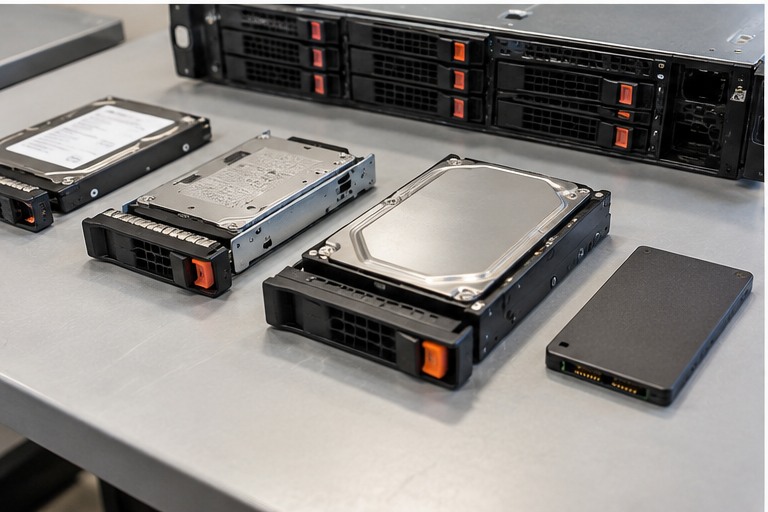
Workshop outcome
This chapter is intended to move beyond product awareness. It should help you plan the work, select the correct hardware class, execute or supervise the change, test the result and produce useful handover evidence.
DEEP TECHNICALFIELD WORKFLOWACCEPTANCE1. Treat degraded as an incident
A degraded array has lost redundancy or part of its protection. The first job is to preserve evidence and determine exactly which physical and logical components are affected.
2. Do not start by pulling a drive
Identify controller, virtual disk, RAID level, member drives, failed/predictive-failure state and enclosure slot mapping. A wrong-drive removal can convert a degraded array into an offline array.
Do not initialise, clear foreign configuration, force online, or create a new virtual disk simply because those options are visible. Those actions can destroy recoverable metadata.
3. Confirm backup and application state
Establish whether the data is currently accessible, whether a current independent backup exists and whether writes should be stopped. For critical data with multiple uncertain failures, escalation can be safer than experimentation.
4. Separate drive failure from path failure
A disk may disappear because of the drive, carrier, backplane, cable, expander, power path or controller. Review controller logs and physical indicators before concluding that the disk itself is bad.
5. Choose the replacement correctly
Match interface, supported form factor, sector format and platform/controller support. Capacity must satisfy the array requirement. Prefer approved enterprise drives for the server platform.
6. Rebuild under observation
After the controller accepts the replacement, monitor rebuild state, drive health, temperature and any new media errors. Rebuild time depends on capacity, workload, controller and media performance.
7. Do not confuse rebuild with backup
A successful rebuild restores array redundancy. It does not prove application data integrity and does not replace a backup or restore test.
8. After the rebuild
Run the manufacturer-supported consistency or patrol processes where appropriate, review logs, confirm all virtual disks are optimal and validate applications.
9. Incident record
Document the failed slot, old/new drive identifiers, controller state, rebuild start/end, alerts, firmware and final health. Repeated failures in the same bay deserve investigation beyond replacing another disk.
Worked field scenario
A RAID 5 virtual disk reports degraded and one front bay shows amber. Before removing anything, correlate the controller log with enclosure slot numbering and confirm the backup. If another member has predictive errors, the risk is materially different from a clean single-drive failure. The recovery plan should reflect that evidence.
Do not proceed from a product label alone. Convert the requirement into measurable compatibility, capacity, installation and acceptance checks.
Procurement questions before ordering
The ordering stage is where many field problems are created. Capture the following before selecting the exact product:
- Exact server model and generation
- Current CPU and memory/storage/controller inventory
- Manufacturer support matrix or service manual
- Firmware and management-controller level
- Maintenance window and rollback hardware
Where a manufacturer compatibility list, rail matrix, supported-optics table or battery cartridge reference exists, record the exact source used for the decision. That gives the later installer evidence rather than a verbal assumption.
Fault-finding decision path
Start with the management controller and hardware event logs. Correlate the logical fault with the physical slot or bay before touching hardware. Check whether the symptom follows a component, a slot, a cable/backplane path or a firmware state. Make one controlled change at a time and preserve the original configuration until the replacement is proven.
Keep a simple change log while troubleshooting: observation, action, result. If a change does not alter the symptom, put the system back unless there is a documented reason to retain it. This prevents troubleshooting from becoming an uncontrolled configuration drift.
Common mistakes that create repeat faults
Do not rely on physical fit, wattage, capacity or connector shape as proof of compatibility. Do not clear useful logs before saving them. Do not replace multiple components simultaneously unless the recovery procedure specifically requires it, because that destroys the evidence needed to identify the actual cause.
A technically successful installation can still be a poor operational result if the next technician cannot identify what was installed, why it was selected, or how it was tested. Serviceability is part of infrastructure quality.
Acceptance and handover evidence
Capture before and after inventory, firmware levels, hardware health, event logs and the exact parts installed or removed. For a production server, acceptance also includes operating-system visibility and a representative application or workload check, not only a green front-panel LED.
Use filenames, labels and port/bay identifiers that match the physical installation. Handover evidence should let someone who was not present at the installation verify the final state and repeat the important tests later.
RELATED HARDWARE
Apply the lesson to Server Warehouse
These are educational category relationships. Always verify exact model compatibility, firmware, electrical limits, supported media and manufacturer requirements before ordering.
Technical references
Manufacturer documentation and the project specification remain authoritative for model-specific limits, procedures and safety requirements.